Secondhand Hardware, Firsthand Exposure: The Data Hiding in Your Discarded Devices
Every year, Americans replace hundreds of millions of devices. Laptops get upgraded, routers get swapped for faster models, external drives fill up and get shelved in a closet until the next garage sale. Most of us assume that a deleted file is a gone file, and that a factory reset returns a gadget to a blank slate.
Security researchers have spent years testing that assumption, and the results are uncomfortable. In study after study — including well-known exercises in which academics and journalists purchased used drives and networking equipment from eBay, flea markets, and secondhand shops — a striking percentage of the devices still contained recoverable personal data. Not metadata. Not fragments. Full documents, saved credentials, and complete browsing histories.
What Turns Up on the Secondhand Market
The recurring findings across these experiments read like a lost-and-found for an entire household's digital life:
- Tax returns and financial records, often as PDFs sitting in a Downloads folder the owner forgot about
- Saved browser passwords for email, banking, and shopping accounts, retrievable the moment someone opens the browser profile
- Photographs and personal correspondence, including material families would never intentionally share
- Résumés, medical paperwork, and legal documents stored locally rather than in the cloud
Routers deserve their own mention. A used wireless router can hand over its Wi-Fi password, the network name it broadcast for years, and in some cases the ISP account details entered during setup. For anyone who reused that Wi-Fi password elsewhere — and research on password reuse suggests most people do — the router is a skeleton key to other accounts.
Why Deletion Doesn't Mean Deletion
The core misconception is mechanical. When you drag a file to the trash and empty it, the operating system doesn't erase the data. It deletes the pointer that says where the data lives, marking that space as available for reuse. Until something overwrites it, the original file sits on the drive, intact and readable with widely available recovery tools.
Solid-state drives complicate things further. Their wear-leveling firmware writes data across memory cells in ways that make simple overwriting unreliable, which is why the modern answer isn't deletion at all — it's encryption.
The Retirement Checklist
If you're preparing a device to leave your possession, whether it's headed to a family member, a resale platform, or an electronics recycler, the order of operations matters.
Step one: back up what you need. Once you wipe a drive, there is no undo. Copy anything you want to keep to a trusted location first.
Step two: sign out and de-authorize. Log out of accounts, disable Find My Device or Activation Lock features, and deregister the device from services that tie hardware to your identity. A factory reset on a phone that still has device locks enabled creates a brick — or worse, hands a locked device to a stranger with your accounts still attached.
Step three: encrypt, then reset. On modern Windows machines, enable device encryption before resetting; on Macs, FileVault does this by default on recent versions. When the drive is encrypted and you then reset or erase it, the encryption keys are destroyed and the leftover ciphertext is effectively unrecoverable. On smartphones, a factory reset on an encrypted device achieves the same result — which is nearly every phone sold in the US in the last several years.
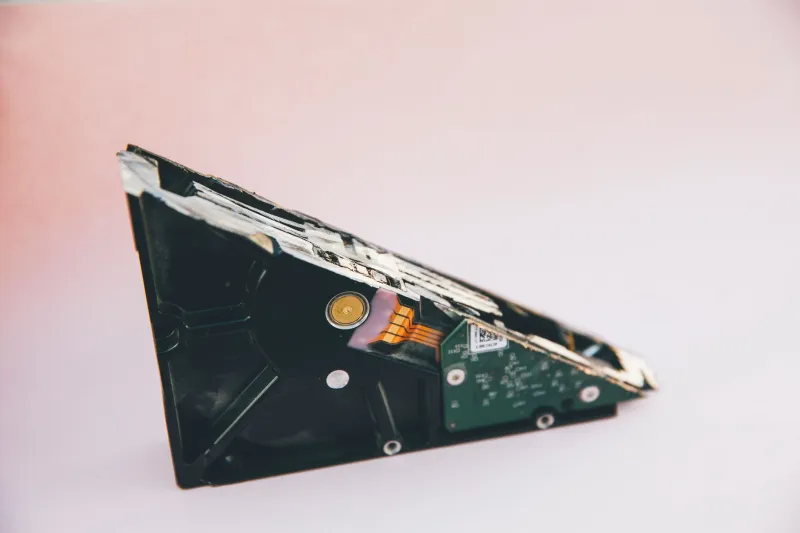
Step four: handle the stubborn cases. Drives that won't boot, or machines too old to support modern encryption, can't be safely wiped with software. For those, physical destruction of the drive — or removal of the drive so only the empty chassis is sold — is the honest answer. Many municipal recycling events and some office-supply chains offer drive destruction or accepted-drop-off programs; a drilled platter or a shredded drive has no secrets left to keep.
Step five: don't forget the network gear. Before a router or mesh node leaves the house, perform a factory reset from the device itself, and change the Wi-Fi password on any remaining equipment if the old password was used for years.
A Habit, Not a Chore
The researchers who run these buy-and-recover experiments aren't trying to shame anyone. Their point, and ours, is that data residue is a byproduct of normal behavior — saving things locally, reusing passwords, assuming someone else handled the cleanup. The fix is a short routine, done once per device, that takes less time than the average software update.
Your hardware will outlive your interest in it. The question is whether it will also outlive your information.