Your Login Just Retired: How Passkeys Are Quietly Rewiring American Account Security
For most of the internet's life, the password has been the gatekeeper — a flimsy combination of a pet's name and a birthday that millions of Americans reuse across dozens of accounts. That era is ending faster than most people realize. Google, Apple, Microsoft, Amazon, and a growing roster of banks and retailers now offer passkeys: a login method that replaces what you type with what your device can prove.
The transition is more than a technical upgrade. It changes who holds the keys to your digital life — sometimes literally.
What a Passkey Actually Is, Without the Jargon
Strip away the cryptography and a passkey is simple: a pair of digital keys generated on your device. The public half goes to the website; the private half never leaves your phone or computer. When you log in, the site issues a challenge that only your device's private key can answer correctly.
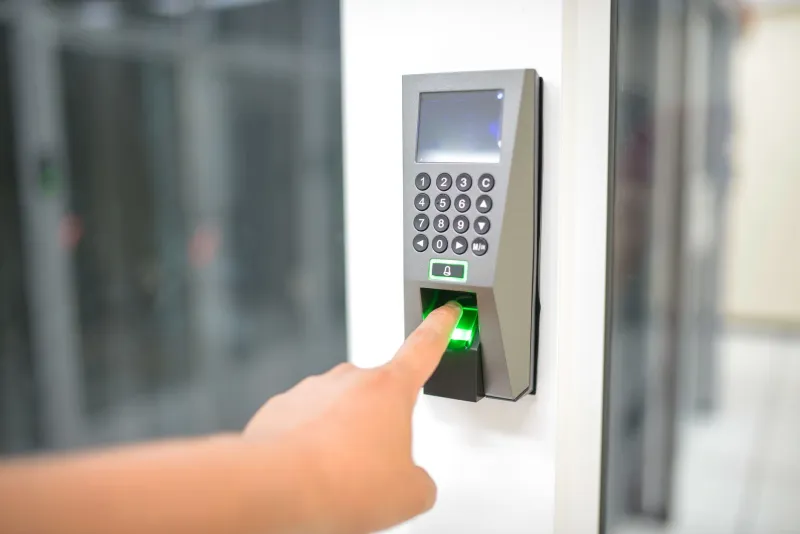
Think of it like a house lock that only responds to your specific key — and where no one, including you, can be tricked into handing over a copy. Unlocking the passkey itself requires your fingerprint, face, or device PIN, which is why the process feels identical to unlocking your phone.
Crucially, the private key is bound to the website's official address. A convincing fake site can't ask your device to vouch for it, because the keys don't match. That property — phishing resistance — is the single biggest reason security teams at American companies have thrown their weight behind the technology.
Why the Security Upside Is Real
The numbers tell a blunt story. Verizon's annual Data Breach Investigations Report has repeatedly found that stolen credentials feature in a large share of breaches. Credential-stuffing attacks — where criminals replay passwords leaked from one breach against other sites — thrive precisely because people reuse logins.
Passkeys sever that chain. There is no shared secret to steal, no database of passwords for criminals to replay, and no fake login page that can harvest one. For a general audience, the practical takeaway is straightforward: a passkey account is dramatically harder to hijack remotely than a password account, even a well-managed one.
The Catch: When Your Phone Takes a Swim
No security story is complete without trade-offs, and passkeys introduce a new category of headache: the recovery problem.
Consider a scenario that has already played out for early adopters. A traveler's phone slides off a dock into Lake Michigan. If that device held the only copy of a passkey — and the account has no fallback method — the owner may be locked out of the service entirely. Password resets don't exist in a passwordless world; there's nothing to reset.
Platforms have engineered partial answers. Apple syncs passkeys through iCloud Keychain with end-to-end encryption. Google routes them through a Google Account or a password manager. Many services allow you to register multiple passkeys across devices, or to keep a fallback such as a hardware security key or stored recovery codes. But every one of these safety nets requires deliberate setup before disaster strikes — not after.
There are also friction points for households with mixed technology. A passkey stored on an iPhone doesn't automatically appear on a Windows desktop, and shared family accounts raise questions the industry is still sorting out. Americans who switch between ecosystems should expect some awkwardness during the transition years.
A Practical Checklist Before You Switch
For readers ready to retire their passwords, Cipher Sentinel recommends a deliberate, staged approach:
- Start with low-stakes accounts. Practice on a retail or news site before moving to banking or your primary email.
- Register passkeys on at least two devices. A phone plus a laptop, or a phone plus a hardware security key, prevents single points of failure.
- Confirm your recovery options first. Verify that a secondary email, phone number, or printed recovery code is current before deleting old credentials.
- Keep your device lock screen strong. A passkey is only as protected as the fingerprint, face, or PIN guarding it.
- Don't disable two-factor authentication elsewhere. Accounts that still use passwords need that second layer more than ever.
- Write down what you changed. A simple paper note listing which accounts now use passkeys saves hours of confusion later.
The Road Ahead
Industry groups behind the FIDO Alliance, including the largest US technology companies, have made passwordless logins a stated priority, and adoption curves suggest the tipping point is near. Passkeys will not fix every security failure — social engineering, device theft, and neglected recovery settings remain live risks. But for a country weary of breach notifications and password-reset emails, the shift represents the most meaningful upgrade to everyday account security in decades.
The password isn't dead yet. It is, however, clearly on borrowed time — and the Americans who prepare carefully for the handoff will be the ones who never notice the difference.