The Broadcast Nobody Mentions: What Your Home Router Says About You Before You Say a Word
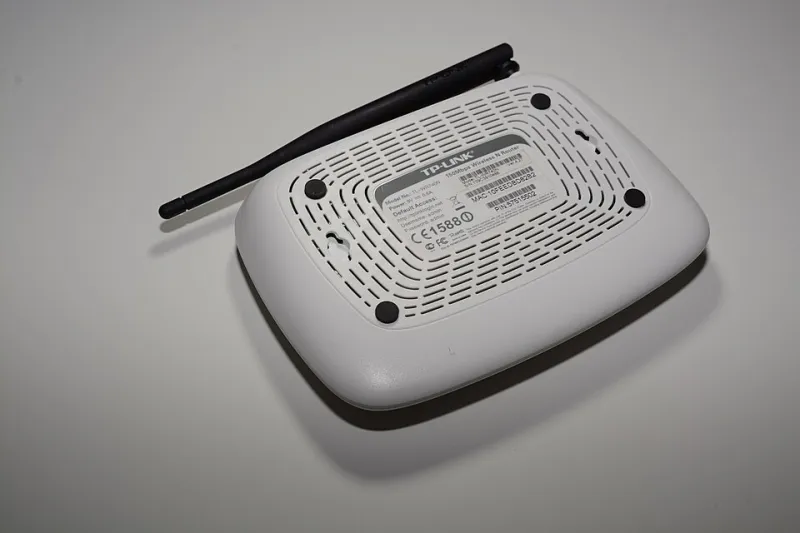
Photo: Hayden Schiff, CC BY 4.0, via Wikimedia Commons
Walk down any residential street in Ohio, Arizona, or the suburbs of Atlanta, and pull up the Wi-Fi list on a phone. Within seconds, dozens of networks appear, each one carrying a name that seems innocuous enough. But to anyone who understands what those names encode, the list reads less like a directory and more like a set of diary entries written by people who never expected an audience.
Home networking equipment has become the most publicly visible piece of private technology in American life. It sits in a living room, yet it announces itself to every passerby. And the story it tells is frequently more revealing than the households broadcasting it would ever choose to share.
The SSID as an Unintentional Fingerprint
A default network name — the SSID assigned at the factory — does more than label a connection. It identifies the equipment manufacturer, often the specific model line, and sometimes the internet service provider that distributed the device. A name like "NETGEAR47-5G" or an ISP-branded string tells a nearby observer exactly what hardware guards the network, and therefore which known software flaws that hardware might carry.
Security researchers have long treated default SSIDs as reconnaissance data. Knowing the model is half the battle in any intrusion attempt, because firmware vulnerabilities are cataloged by model number. A household that never renamed its network has, in effect, published the answer to the first question any attacker asks.
There is a subtler leak, too. Neighborhood-level patterns in network names can hint at when a subscriber signed up with a particular provider, which provider dominates an area, and even which homes recently moved in — new installations tend to broadcast factory defaults for weeks before anyone bothers to change them.
Firmware: The Update That Never Comes
The deeper problem lives beneath the network name. Consumer routers and ISP-supplied gateways run software that requires periodic patching, and a substantial share of American households never apply a single update after installation day. Some devices, particularly older ISP-issued modems and combination units, stop receiving manufacturer updates altogether while continuing to serve as the front door for every computer, television, and smart speaker in the home.
The consequences are documented with regularity in federal advisories. Botnet operators have spent years enrolling vulnerable home routers into large-scale attack networks, using them to obscure the origin of malicious traffic or to launch attacks against unrelated targets. The homeowner, in these scenarios, is simultaneously a victim and an unwitting participant — their connection used as cover for someone else's misdeeds.
What makes this especially frustrating is that the exposure is rarely the result of an active decision. Nobody chooses to run outdated firmware. It happens through silence: no notification, no prompt, no plain-language explanation of why the update matters.
The Liability Question
This is where opinion earns its place in the discussion. Should internet service providers bear responsibility when the hardware they lease to customers ships with insecure defaults and inconsistent patching?
The case for yes is straightforward. ISPs choose the equipment, configure it, and in many cases retain ownership of it. A customer renting a gateway cannot replace its firmware, and often cannot even access certain settings. When that leased device broadcasts a default SSID, ships with a predictable administrative password, or lingers months without a security patch, the customer has little practical recourse. Placing the entire burden of security on a subscriber who cannot fully control the device is, at minimum, an odd allocation of responsibility.
The counterargument carries weight as well. Regulation risks slowing deployment of equipment, and millions of customers ignore security prompts regardless of who issues them. Liability without customer cooperation only goes so far.
Yet the middle ground is not mysterious. Automatic, mandatory firmware updates for leased equipment. Forced credential changes at activation. Clear, non-technical notifications when a device reaches end of support. These are not radical demands; several providers already implement some of them. The gap is that adoption remains voluntary and uneven, and the households least equipped to compensate — elderly residents, renters, low-income families on subsidized service — are the ones most exposed when their provider falls short.
Hardening a Network Without a Technical Degree
For readers who lease their equipment or simply want to reduce exposure, a handful of steps cover the majority of the risk, none of which require an engineering background.
First, rename the network. Choose a name that reveals nothing — no family surname, no address, no model information, and no clever references that identify the household. A neutral label like a favorite color paired with a random word accomplishes the goal.
Second, replace the administrative password. The credentials printed on a router's sticker are shared across thousands of identical devices and are among the first things tried in any intrusion attempt. A unique password for the router's settings page, stored in a password manager, closes one of the most common doors.
Third, check for updates. Most modern gateways offer an automatic update option in their settings; enable it. For leased equipment, a call to the provider asking whether the device is current — and whether a newer model is available — is a reasonable and often effective step.
Fourth, review what is connected. An afternoon spent checking the device list on the router's admin page frequently surfaces gadgets the household forgot existed: an old security camera, a smart plug from a previous apartment, a television that hasn't streamed in years. Every forgotten device is an unpatched device.
Finally, consider disabling remote administration unless it is genuinely needed. Many gateways allow management from outside the home network by default; turning that feature off removes an entire category of remote attack.
The Diary Worth Closing
A home network does not need to be invisible. But it should not narrate its own weaknesses to every phone that passes by. The defaults that ship with consumer equipment — the names, the passwords, the patching schedules — reflect engineering convenience, not household security, and the American subscriber has been quietly absorbing that gap for years.
Closing it requires action on both sides: providers treating leased hardware as a security obligation rather than a cost line, and households spending one unhurried afternoon adjusting settings that will outlast every device connected to them. The router's diary will keep broadcasting either way. The only question is what it will be allowed to say.